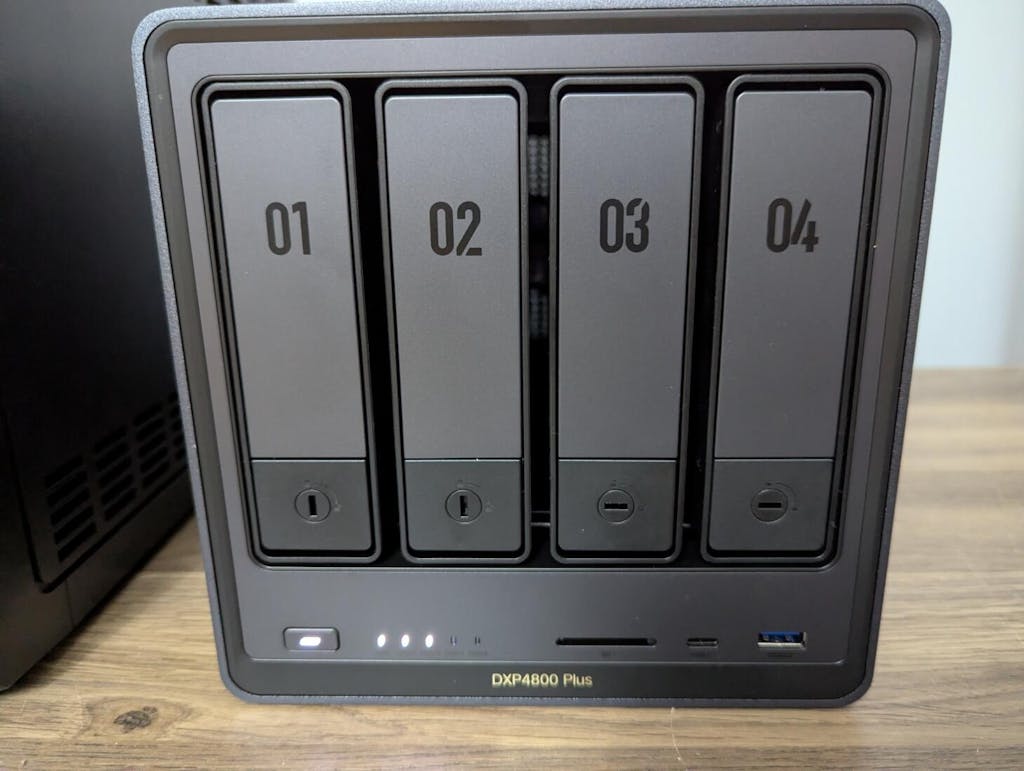
Fast Caching
NASync features two M.2 NVMe slots for high-speed SSDs, significantly boosting read and write speeds for enhanced performance.


Couldn't load pickup availability
 Fast & Free Shipping
 30-Day Price Match
 2-Year Product Warranty
 30-Day Returns





Subscription
Data Security
Upload and Download Speeds
Easy to use

Free
High
File sync & backup
Permission management
Real-time scan
Fast & Stable

Paid
Limited
Cloud provider outage
Lost file access rights
Limited & Unstable

--
Low
Hardware damage
Fast





Powered by the 12th Gen Intel Pentium Gold Processor 8505, it delivers powerful performance for NAS multitasking while keeping power consumption low, ideal for 24/7 use.


With super-fast 8GB DDR5 RAM (expandable up to 64GB), this system powers through your toughest demands.
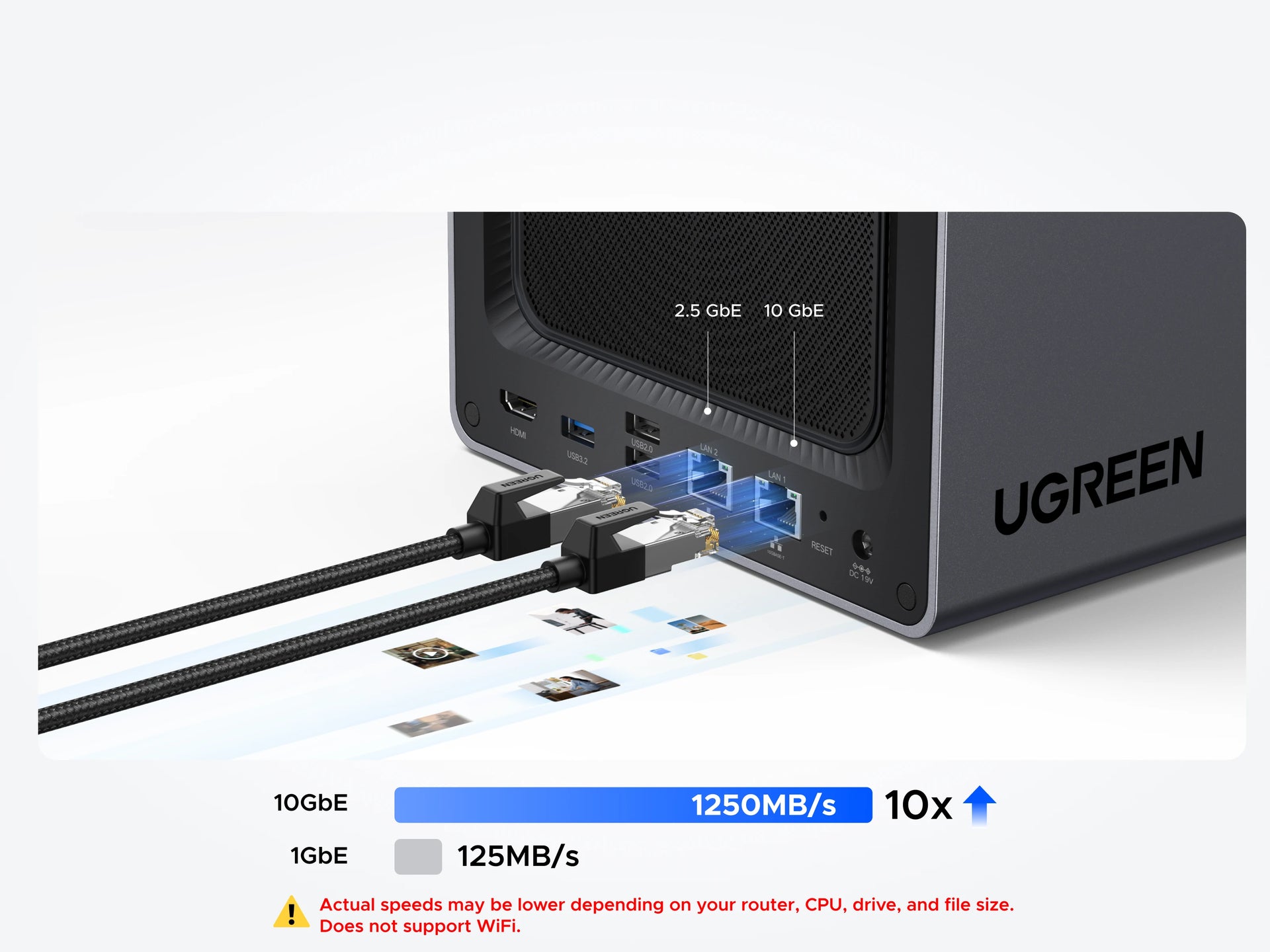

Featuring 1x 10GbE and 1x 2.5GbE network ports, this delivers transfer speeds up to 1250MB/s - enabling 1GB file backups in under a second and offering 10x the speed of standard 1GbE ports.




Browse all NAS Storage Solutions.
No. The UGREEN DXP4800 Plus is sold as a diskless NAS, so storage drives are not included. Before buying HDDs or SSDs, check the official HDD/SSD compatibility list to choose tested drives for this model.
For the four SATA HDD bays, we recommend NAS-rated CMR drives: WD Red Plus or Red Pro, Seagate IronWolf or IronWolf Pro, or Toshiba N300. For the two M.2 NVMe SSD slots, popular choices include the Samsung 980 Pro, WD Black SN5000, or any PCIe Gen 4 NVMe drive on our compatibility list.
Yes. Docker is fully supported via the UGOS Pro App Center. You can install and manage Docker containers directly from the web interface, with no command line required for basic setups. Popular containers include Plex, Jellyfin, Home Assistant, Pi-hole, Nextcloud, and Portainer. For power users, SSH access is also available for advanced Docker Compose workflows and more direct system control.
Yes. The Intel Pentium Gold 8505 includes Intel UHD graphics with Quick Sync, which enables hardware-accelerated transcoding for Plex. In real-world use, it handles multiple simultaneous 4K-to-1080p transcodes smoothly. Plex is installed via Docker — our Plex NAS setup guide provides a step-by-step walkthrough including the correct Docker configuration and folder mapping.
If you primarily use Apple TV, Roku, or share with non-technical family, Plex is the safer choice. If you prefer no licensing costs and value privacy, Jellyfin is excellent.
Both work excellently on this hardware. Plex offers a more polished interface and broader device support (Roku, smart TVs, game consoles) but requires a Plex Pass ($120 lifetime) for full hardware transcoding. Jellyfin is completely free, open-source, and includes hardware transcoding out of the box. See our detailed Plex vs. Jellyfin comparison.
DXP4800 Plus capable of running a wide range of Docker containers simultaneously. Popular choices include: Home Assistant (smart home automation), Pi-hole (network-wide ad blocking), Nextcloud (private cloud and file sync), Vaultwarden (self-hosted password manager), Immich (Google Photos alternative), and Portainer (Docker management UI). See our guide on essential NAS apps for more recommendations.
The two M.2 M.2 NVMe Slots serve two main purposes: SSD caching (accelerating reads/writes from the HDD storage pool by caching frequently accessed data on faster SSDs) or as a dedicated SSD storage pool (for workloads requiring maximum speed, such as running Docker containers, virtual machines, or editing active project files). For most users, SSD caching provides the best quality-of-life improvement. Our guide on mixing SSDs and HDDs covers both strategies in detail.
For most users with four drives, RAID 5 is the recommended choice. It provides a strong balance of usable storage (you lose the equivalent of one drive to parity), read performance, and single-drive failure protection. For example, four 8 TB drives in RAID 5 give you approximately 24 TB of usable space. If maximum safety is the priority and you can afford the storage trade-off, RAID 10 tolerates two drive failures (in different mirrors) and offers excellent read/write speed. Our RAID guide covers every configuration in detail, and you can model your exact setup with the RAID Calculator.
Both are 4-bay NAS units targeting enthusiasts and small businesses, but with key differences. The DXP4800 Plus uses a faster 5-core Intel Pentium Gold 8505 CPU (vs. the dual-core AMD Ryzen R1600 in the DS923+), includes a built-in 10GbE port (where Synology requires an extra 10GbE add-in card), offers 4K HDMI output (which the DS923+ lacks), and is typically priced around $620, while the DS923+ is roughly $600 before adding 10GbE.
Where Synology pulls ahead is in the maturity of its DSM software, its larger first-party app ecosystem, and its longer track record with enterprise features such as Active Backup for Business. If you prioritize raw hardware performance, 10GbE out of the box, and aggressive pricing, the DXP4800 Plus can offer better overall value for that use case.
All three are 4-bay NAS units with Intel processors, Docker support, and M.2 NVMe slots, but they differ in networking and processing power. The DXP4800 has dual 2.5GbE ports and an Intel N100 quad-core processor. The DXP4800 Plus upgrades to a 10GbE + 2.5GbE port combination and an Intel Pentium Gold 8505 five-core processor — a significant step up for multi-user access and large file transfers. The DXP4800 Pro further upgrades to an Intel Core i5-1235U ten-core processor for the heaviest workloads like multi-stream 4K transcoding and virtual machines. Choose DXP4800 for budget-conscious 2.5GbE setups, DXP4800 Plus for the best price-to-performance with 10GbE, and DXP4800 Pro for maximum processing headroom.
No. Your data is stored locally on drives you own, inside a device on your home network. UGREEN has no access to your files — unlike cloud storage providers, there is no server-side copy of your data. UGOS Pro includes AES encryption, a configurable firewall, two-factor authentication, and per-user folder permissions. For a full walkthrough of hardening your NAS, see our home NAS security guide.
| SKU | 35260 |
| Model | DXP4800 Plus |
| Supported Languages | English, Deutsch, Français, Español, Português, Italiano, 中文, 日本語 |
| Drive Bays | 4-Bay (SATA) |
| Operating System | UGOS Pro |
| CPU Model | 8505 |
| CPU Brand & Architecture | IIntel X86 12th Generation Intel® Pentium® Gold 5 Cores 6 Threads |
| Memory (RAM) | 8GB DDR5 |
| ODECC | Supported |
| Expandable RAM (max) | 64GB |
| Flash Memory (System Disk) | SSD 128GB |
| SATA Drive Bays | 4 |
| M.2 SSD Drive Slots | 2 |
| RAID | JBOD/Basic/0/1/5/6/10 |
| Maximum Storage | 144TB (4x 32TB + 2x 8TB) |
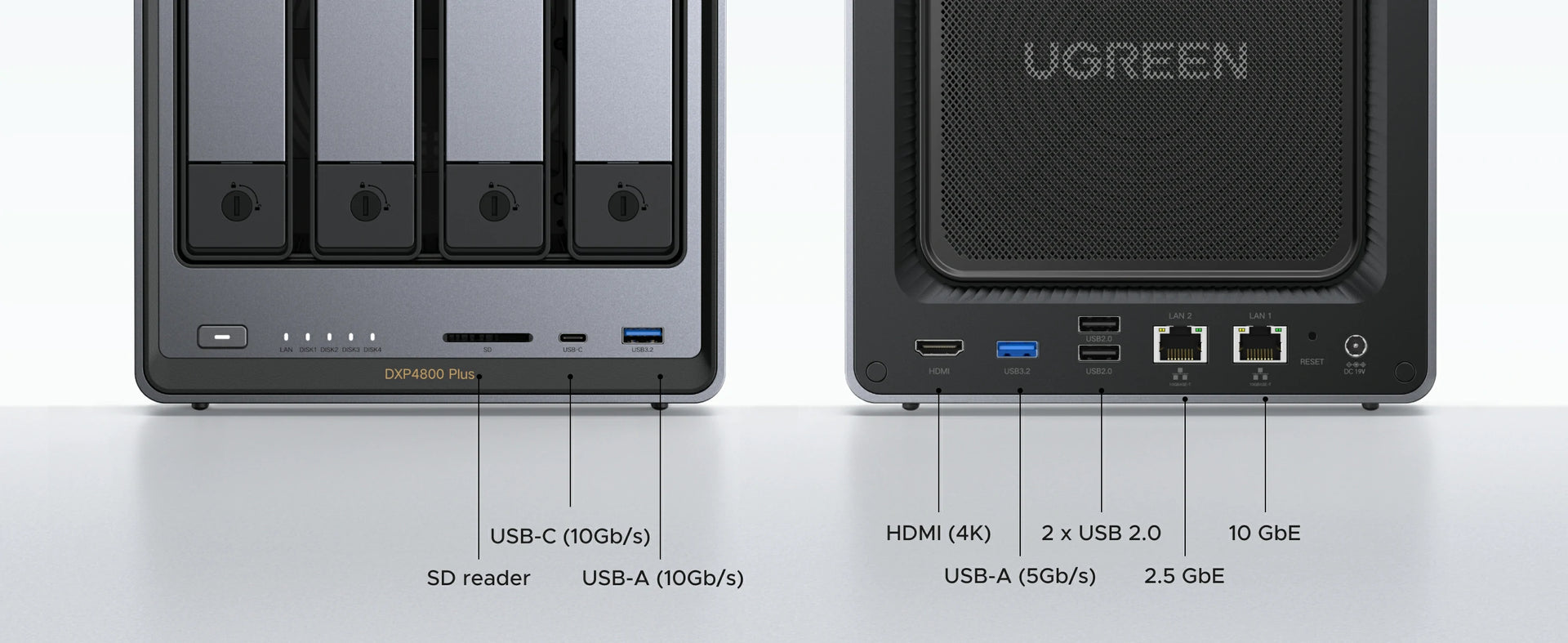
| LAN Ports (RJ45) | 1x 2.5GbE, 1x 10GbE |
| PCIe Expansion | - |
| Thunderbolt™ 4 Ports | - |
| High-Speed USB Ports (Front Panel) | 1x USB-C, 1x USB-A (both 10Gb/s) |
| High-Speed USB Ports (Rear Panel) | 1x USB-A (5Gb/s) |
| USB 2.0 (Rear Panel) | 2x USB-A (480Mb/s) |
| SD Card Reader | SD 3.0 |
| HDMI | 4K |
| Wi-Fi | - |
| Product Dimensions | 10.1" × 7.0" × 7.0" |
| Power Consumption |
42.36W (drive access) 18.12W (drive hibernation) |